Happy Dev
Jira Documentation
Happy Dev for Jira, here's what it looks like end to end.
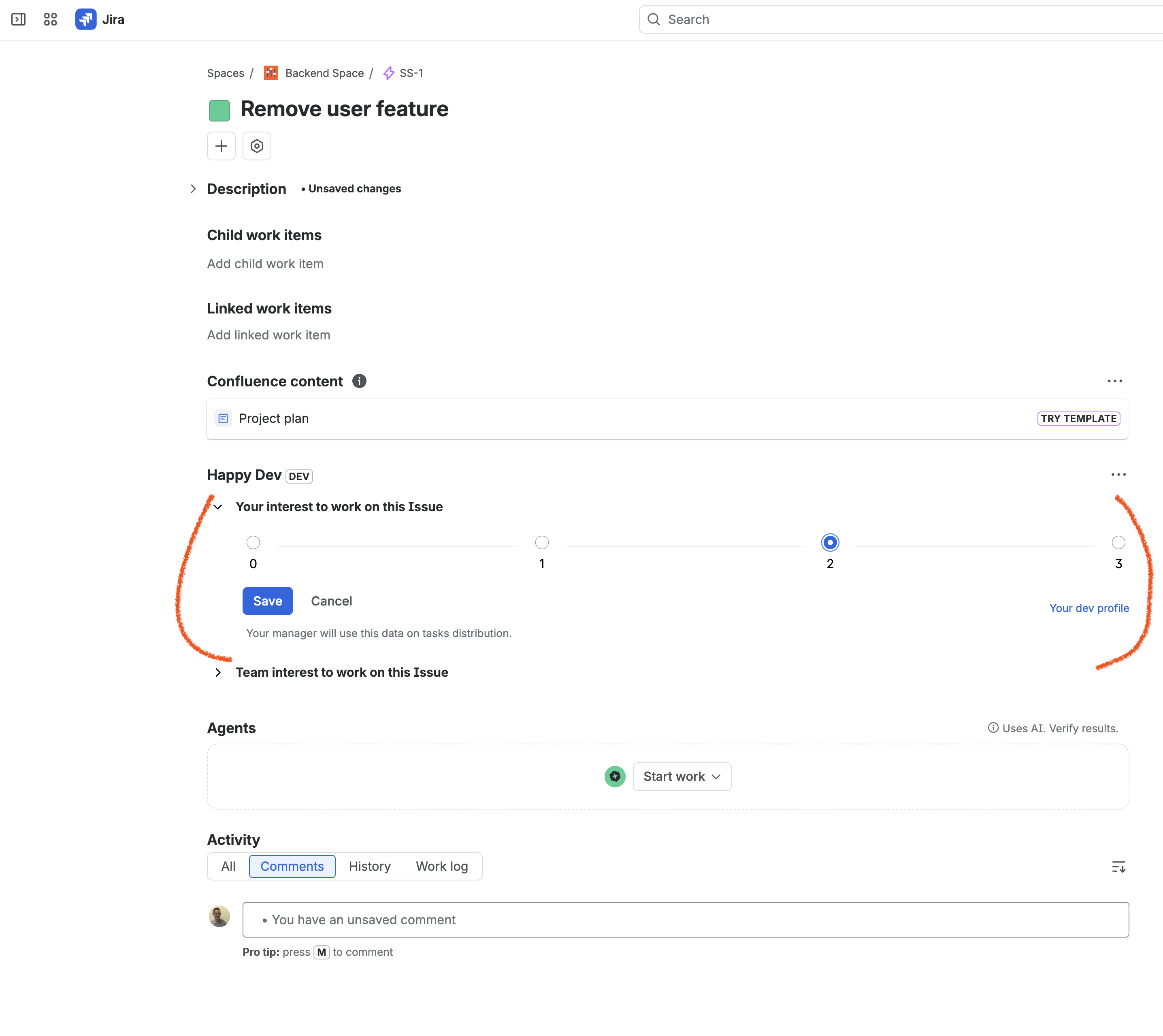
Flag interest on any issue
Right from the Jira issue view, devs mark how interested they are in working on it — a simple 0 to 3 scale. That signal feeds straight into how work gets assigned.
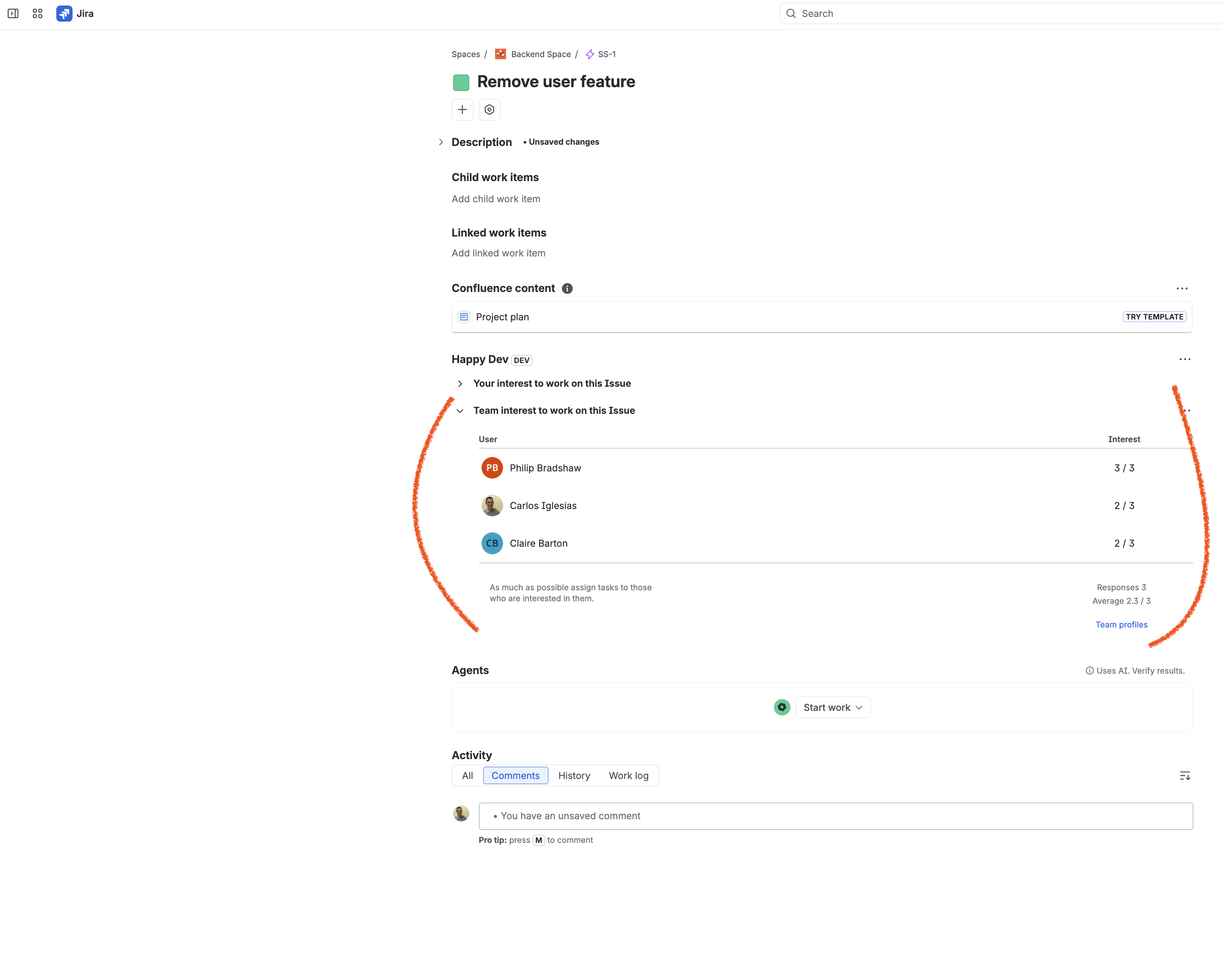
Manager sees who wants what
On the same issue, manager can browse interest levels from the whole team side by side, so tasks go to the people who actually want them. Only manager has access to this data. 'Manager' = 'ADMINISTER_PROJECTS' permission.
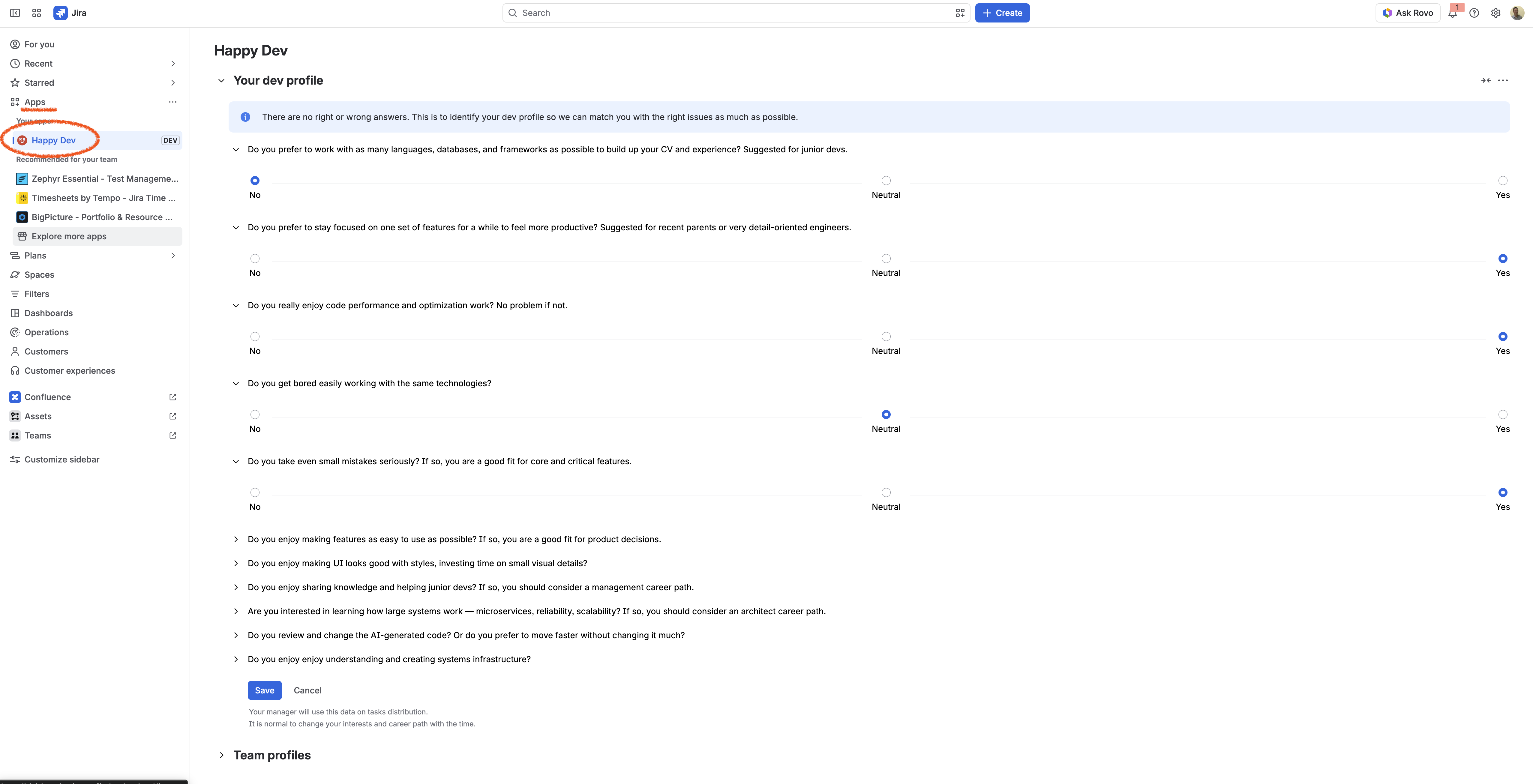
Build your dev profile
Devs answer a short set of questions about how they interest to work — how much variety you want, whether you enjoy performance tuning, UI polish, mentoring, or systems design. There are no right or wrong answers; it's just how your manager gets a real signal on fit.
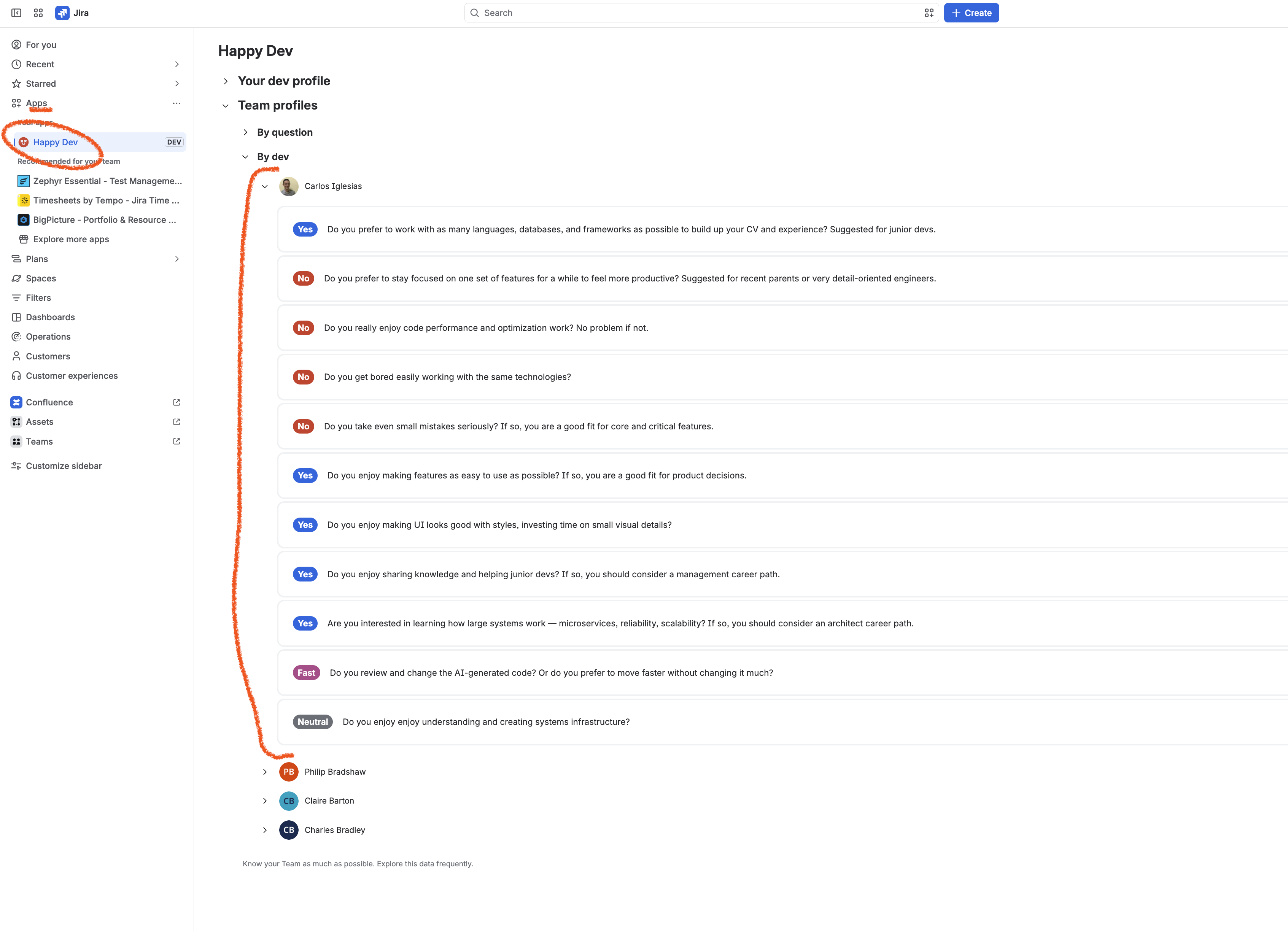
Manager browse your team's profiles
Manager can scan the whole team at a glance instead of guessing who's a fit for what. Only manager has access to this data. 'Manager' = 'ADMINISTER_PROJECTS' permission.
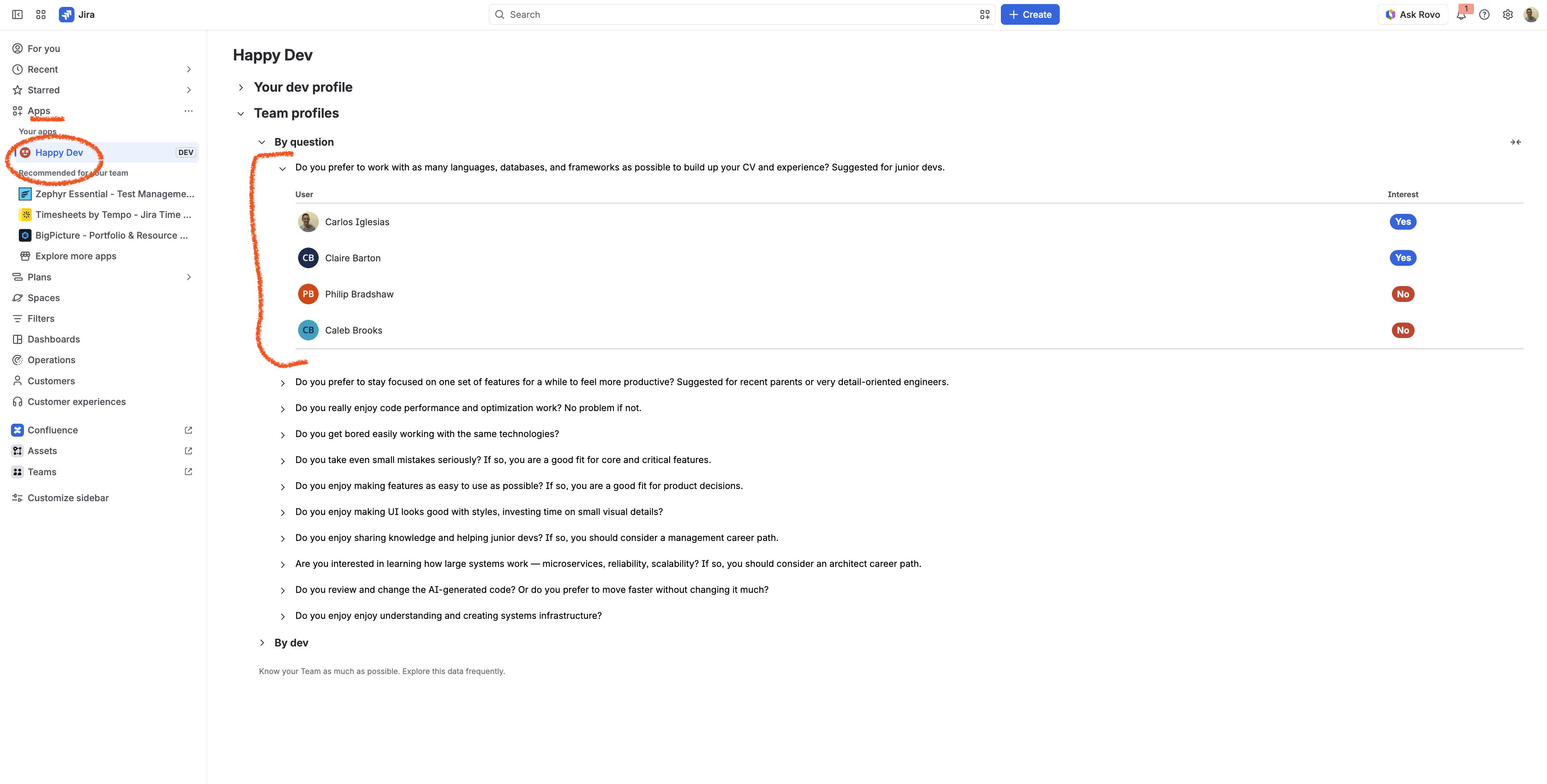
Or browse by question
Flip the view around to see how the whole team answered a single question, so you can spot patterns across the team at a glance. Only manager has access to this data. 'Manager' = 'ADMINISTER_PROJECTS' permission.